
What on Earth?
The mofi sim7 a small LTE device perfect for internal internet for your mobile station (battle station).
For this guide I won’t get too into
Setting up your SIM
This part is overly difficult based on how mobile phone providers give you a SIM card (T-mobile, Verizon, AT&T). They force you into using an IMEI number on their websites. My advice? Just say you have an iphone and get your sim. You’ll most likely never use the phone number and I can assure you it will at least work on T-Mobile out of box.
When you do have your SIM card, put it into the slot in the MOFI device and it should work automatically. Login to the admin interface for additional setup (192.168.10.1, this could be different). I’ll go over this interface later.
Build in my Van
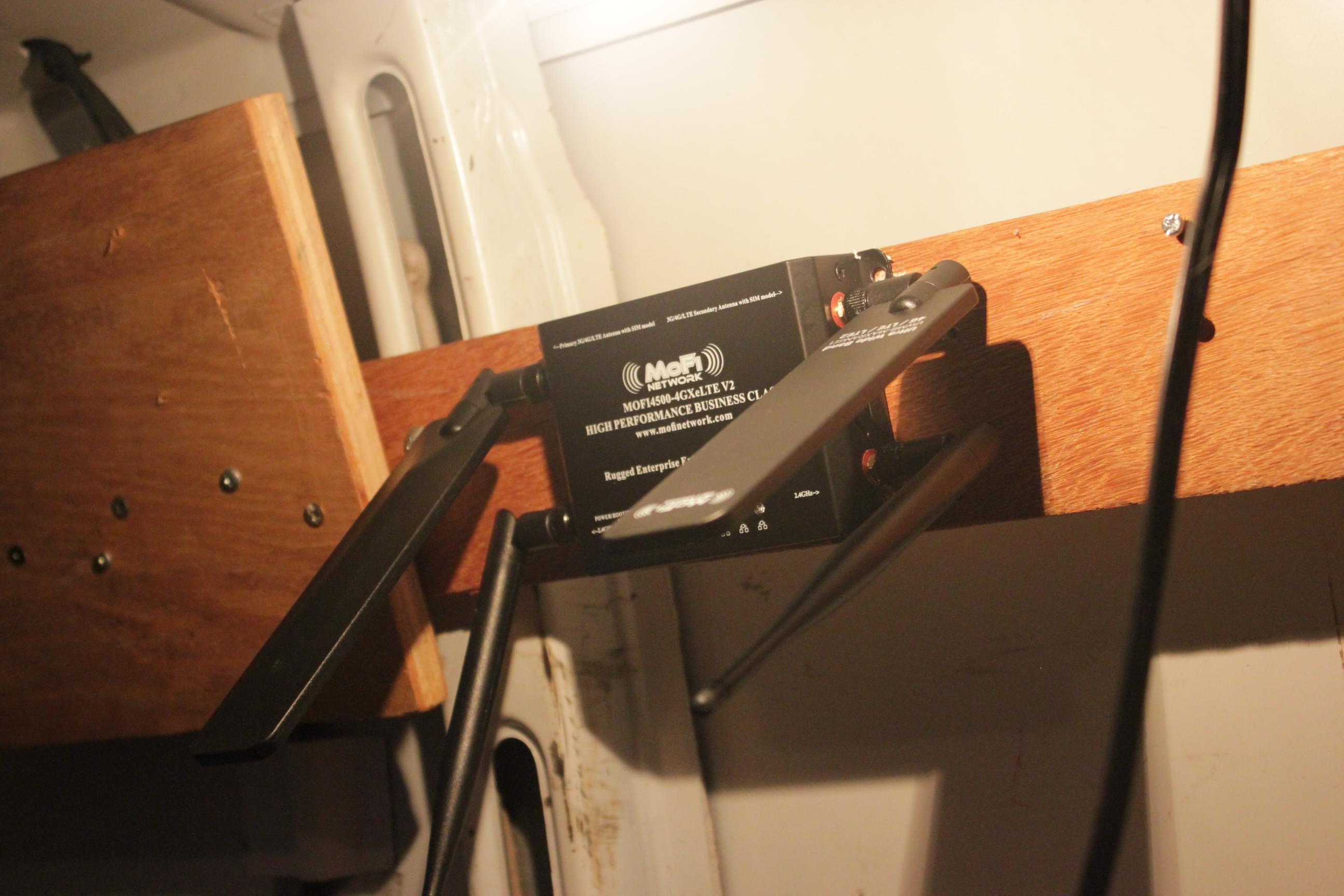
The mofi device comes with 4 mounting screws and 4 antennas. 2 for the LTE connection and 2 for the wifi. I mounted the device to the wood spine on the side of the vehicle.
To get more range, you’ll want to move the LTE antennas outside of the steel walls of your vehicle. I used a cable gutter (usually used for solar).
Drill holes on the top where you will screw, then in the middle of that drill a large hole where the cable will go. I used Butyl tape around the perimeter of the cable gutter to prevent water leakage. Pull the wires through the gutter prior to screwing in the gutter to make it easier on you. The beauty of this method is that you can lock the gutter holes at the antenna screw point to lock the antenna in place as a custom antenna mount.
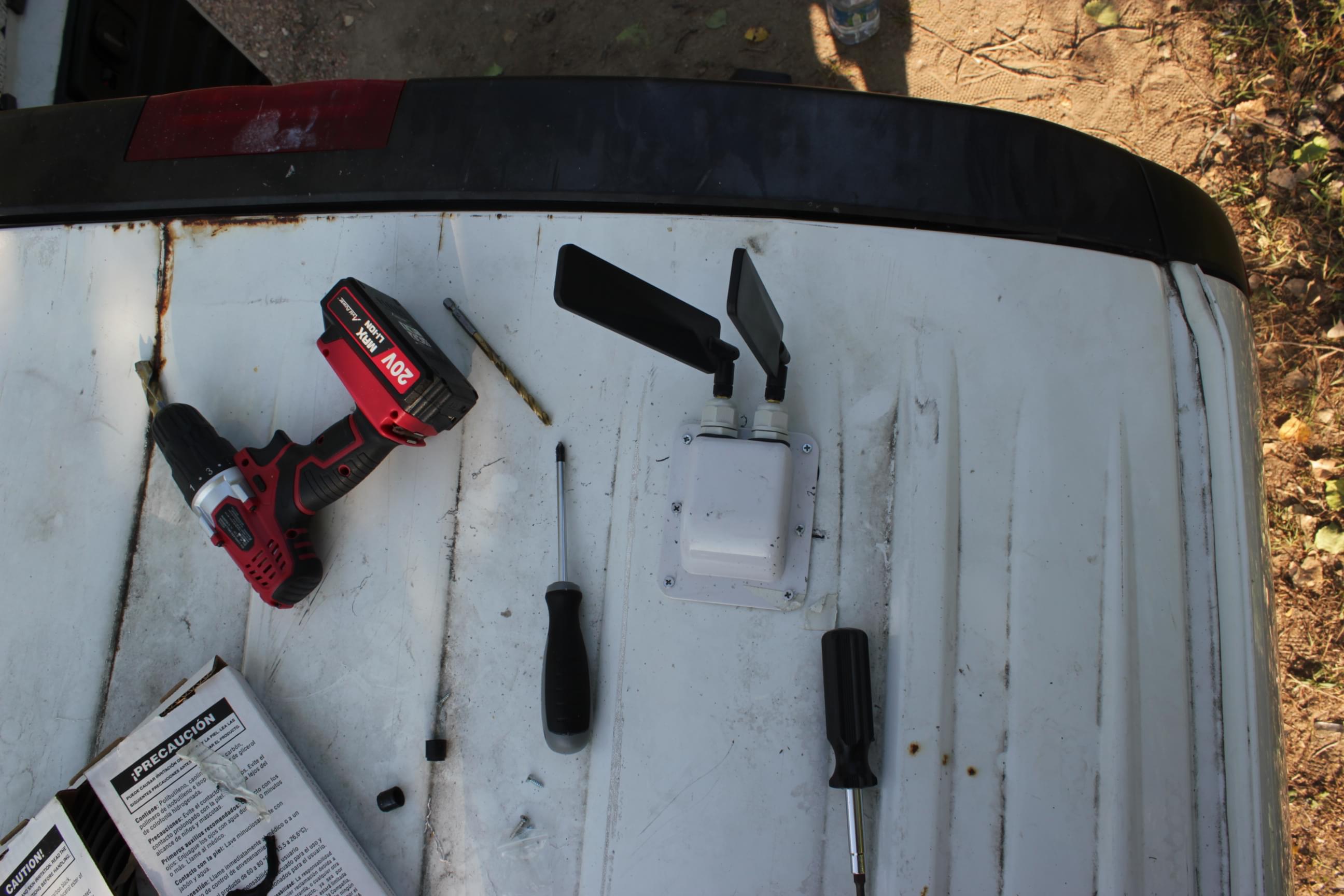
I will eventually do a guide on high powered direction antenna, the SIM7 model compared to older models has a strong LTE antennas. I get very good speeds just with the stock antennas they supply you with located outside the vehicle.
MOFI Endgame
I would recommend setting up the Mofi adblock, but it is not very good. I recommend setting a Pi or SBC using Pi-Hole. See my guide here for using Pi-Hole for adblock.
If you have a VPN, you can set that up in the Advanced section. (TODO pic)
This device is a Linux device so this device is your oyster. The OS and interface is RouterOS. Enable SSH in the interface if you want to start hacking deeper than this guide or the RouterOS interface will ever go(TODO pic).
Well
At nearly 300 dollars, this is pretty expensive, but not iPhone / Android expensive. I looked at creating something like this myself. The LTE shield or LTE connector can range from $40-$100 [1] being your most expensive part. When you add in a raspberry pi (or computer), antennas, a WiFi device to create a hot-spot, Ethernet modem, and miscellaneous hardware for the pi or PC I’d argue you would price a custom build at $200-$300. It was not cheap enough for me to want to spend the time, but maybe I’ll do something like that some day for fun. I would strongly recommend this device.
https://techship.com/products/simcom-sim7600e-h-lte-smt-eu/
https://www.thinkpenguin.com/gnu-linux/usb-4g-lte-advanced-modem-gnulinux-tpe-usb4glte